Quarterly Newsletter
How to correct an erroneous filing status
Steps for agency administrators to update an incorrect accept or reject decision
Published: October 14, 2026
Occasionally, a filing may be assigned an incorrect status. When this happens, an agency administrator can use the Update Filing Status feature to ensure the filing is recorded with the appropriate status.
Follow these steps to correct an erroneous filing status.
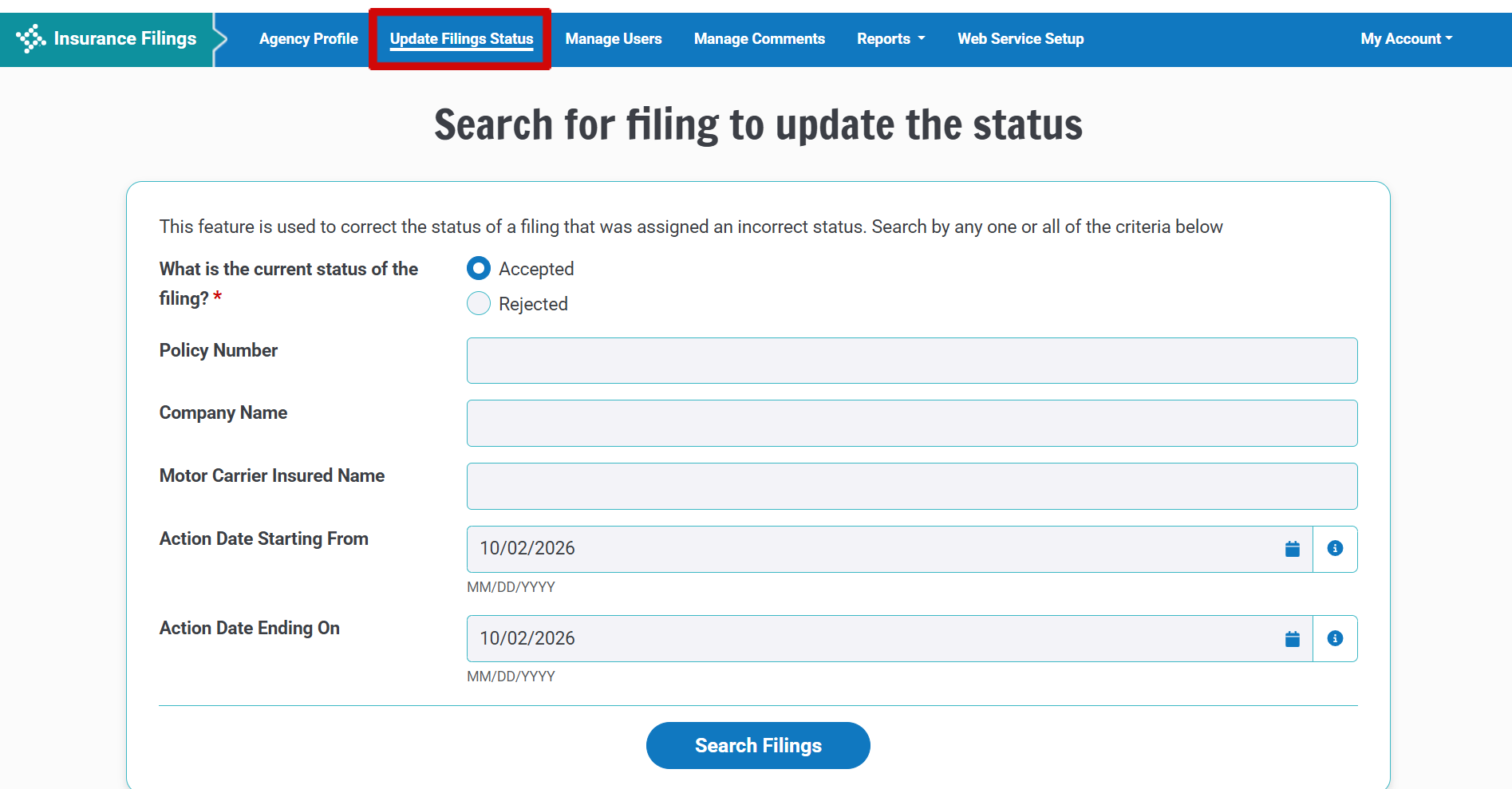
Step 1: Click “Update Filing Status”
After logging in as an agency administrator, click the Update Filing Status link.
Step 2: Search for the Filing
Use the Search feature to locate the filing whose status needs to be corrected.
You can search using any of the following criteria:
- Current status of the filing (Accepted or Rejected)
- Policy Number
- Company Name
- Motor Carrier Insured Name
- Action Date Starting From
- Action Date Ending On
After entering your search criteria, click the Search Filings button.
Step 3: Select the Filing, Update the Status, and Submit
The next page displays a list of filings that match your search criteria. Locate the filing that was assigned an incorrect status.
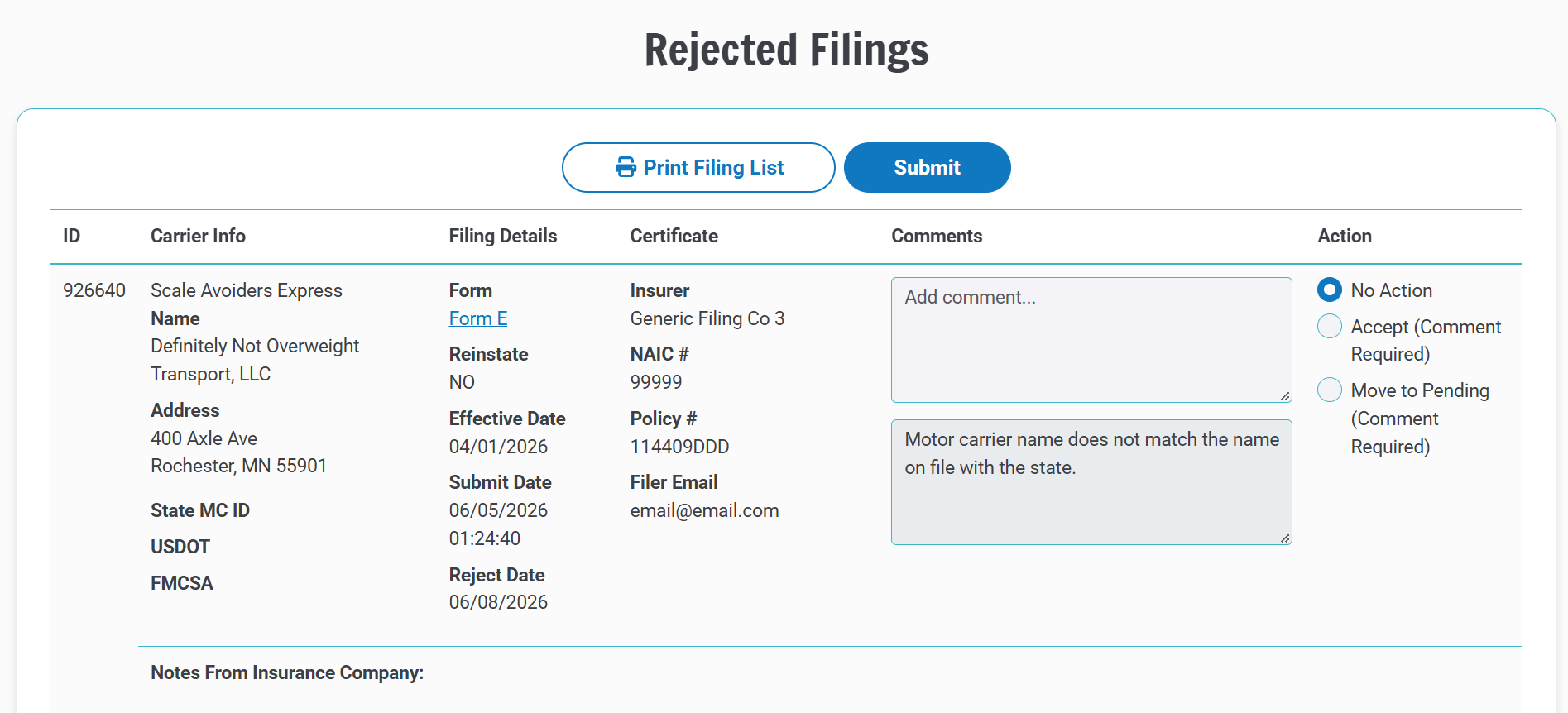
Select the appropriate new status.
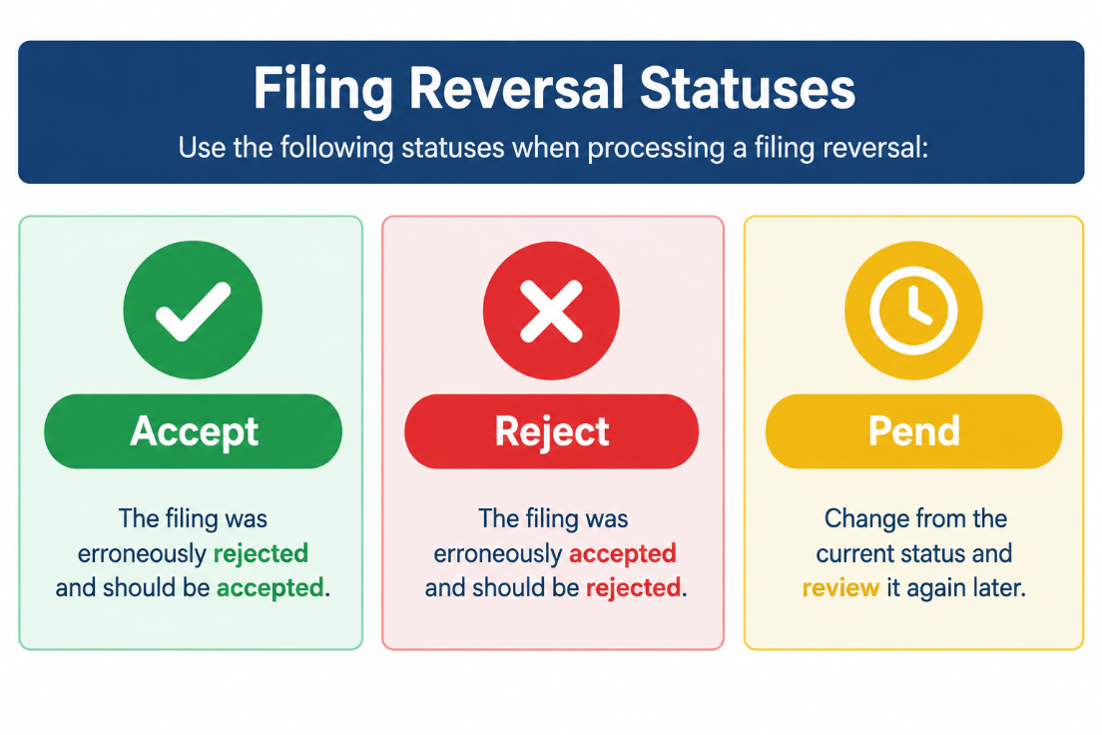
If you change the filing’s status, you must enter a comment explaining why the status is being changed. The comment will be forwarded to the filer, so make sure it clearly explains the reason for the change.
After selecting the new status and entering the required comment, click the Submit button to complete the update.
This feature allows administrators to update the status of filings in an Accepted or Rejected status. State agency users can review filings that are currently pending from the Pending Filings page. When the review is complete and a final decision can be made, the state agency user can update the filing status to accepted or rejected.

The Update Filing Status feature provides agency administrators with a simple way to correct erroneous filing statuses. By searching for the filing, selecting the appropriate status, documenting the reason for the change, and submitting the update, administrators can ensure that filing records accurately reflect the correct status while keeping the filer informed.
Have suggestions for improving the filing process or making the system easier to use? Contact customer service to share your feedback. Your input helps us continue improving the system and filing experience.