Quarterly Newsletter
New Email Preferences feature helps insurers stay informed
Help ensure important filing updates reach the right team members.
Published: July 15, 2026
Insurance company administrators can now customize who receives filing status update emails, making it easier to route notifications to the right people and keep filing workflows on track.
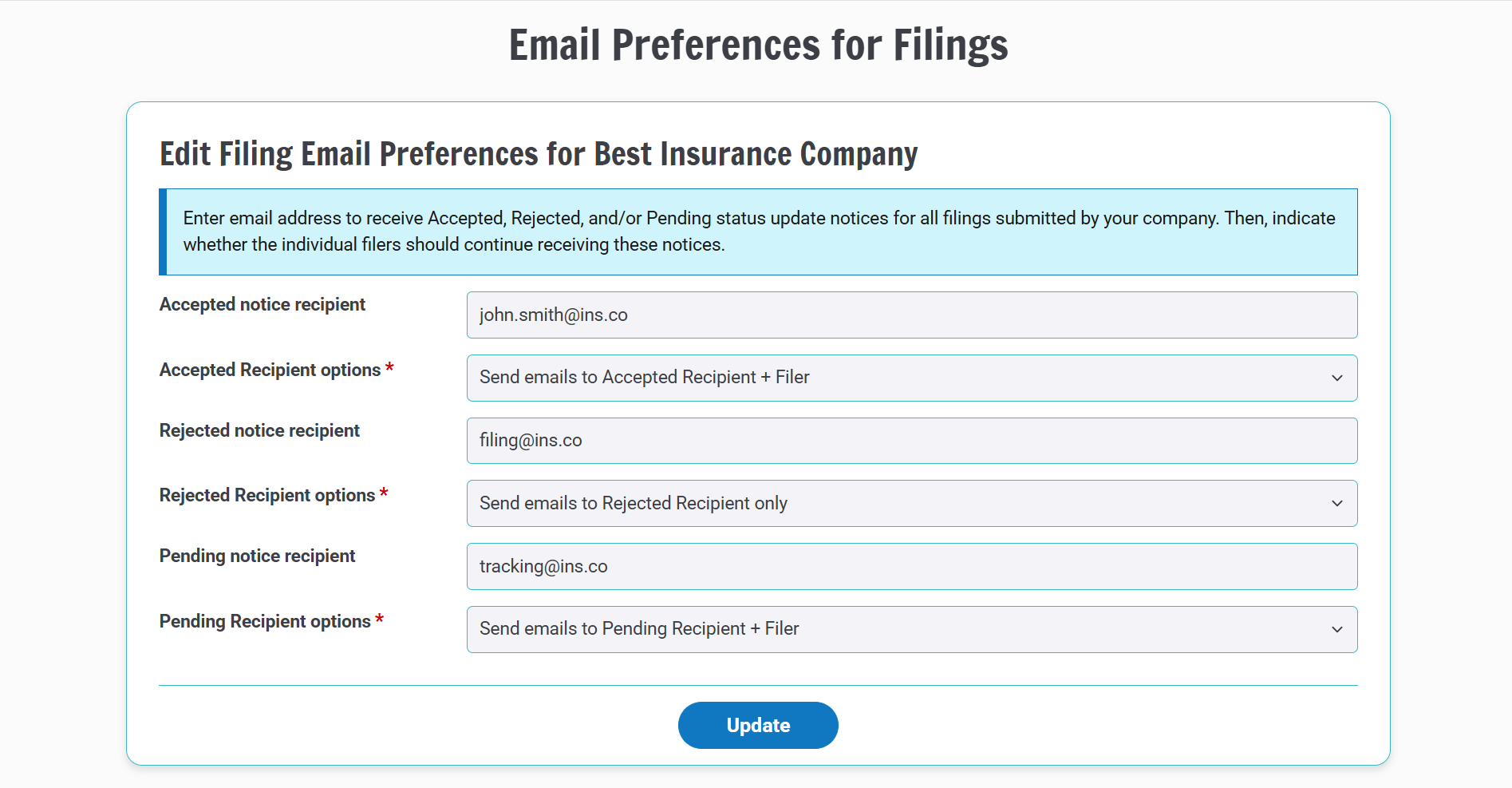
The new Email Preferences feature allows administrators to designate one or more recipients for filing status updates when filings are accepted, rejected, or marked pending. Whether notifications are sent to a shared mailbox, a manager, or another team member, administrators have greater flexibility in directing communications where they are needed most.
This enhancement can help:
- Maintain coverage during staff absences
- Route follow-up tasks to the appropriate team members
- Improve visibility into filing activity
- Help ensure required actions are completed on time
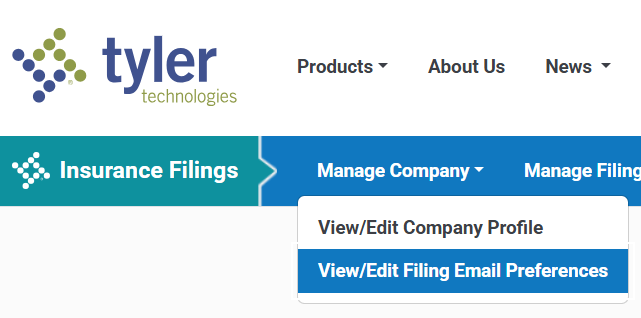
As displayed in the sample image below, administrators can access the feature by logging in and navigating to the View/Edit Filing Email Preferences page. From there, assign a recipient email address for each filing status.
For each status type, administrators can choose one of two notification options:
- Recipient + Filer - Sends status updates to both the designated recipient and the user who created the filing.
- Recipient Only - Sends status updates only to the designated recipient.
Administrators may specify a different email address for each status type, including shared inboxes, managers, or other recipients that best support the company's workflow.
If no email preferences are configured, the system will continue to use the default behavior, which is sending filing status updates only to the filer.
Notification examples:
| Configuration | Result |
|---|---|
| Recipient address entered + Recipient Only | Only the designated recipient receives the status update. |
| Recipient address entered + Recipient + Filer | Both the designated recipient and the filer receive the status update. |
| No recipient configured | The filer remains the only recipient of the status update. |
This enhancement was inspired by feedback from an actual Tyler Insurance Filings user.
Our team welcomes your suggestions for future improvements. To share your ideas, contact support@tylerinsurancefilings.com.