Quarterly Newsletter
Coming in 2026: Mandatory multifactor authentication or single sign-on for all Tyler Insurance Filings users
Implementation of secure login methods is underway! Use these tips to make the change effortless.
Published: January 15, 2026
In late 2025, many state agencies and insurance companies were migrated to a more secure login experience, using multifactor authentication (MFA) or single sign-on (SSO).
In early 2026, the remaining state agencies and insurance companies will join them.
Throughout the phased implementation of MFA and SSO, we have learned about sticking points, challenges, and avoidable roadblocks. If you haven't transitioned yet, read on to learn how to simplify the move to MFA or SSO.
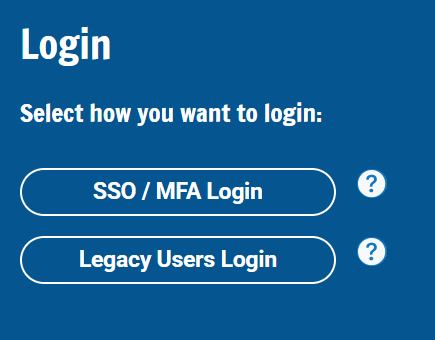
Make sure to select the right login option on the homepage.
If you select the wrong option, you might lock yourself out of the system.
During the transition phase, users will need to select the correct login option based on their MFA status.
Prior to the transition, non-MFA users should select the Legacy User Login button. This will display the Login interface that you've used previously.
After MFA or SSO goes live for your team, select the SSO / MFA Login button to access the new login experience.
Before your transition date arrives, review and update your user list. Shared accounts are not compatible with secure MFA or SSO.
Ensure all users retain account access following the transition.
| User's Full Name | Email Address |
|---|---|
| Andy James | andy.james@company.com |
| Alicia Austin | filings@company.com |
| Insurance Inc Team | insurerteam@company.com |
Secure account access with MFA helps prevent unauthorized individuals from seeing your information and acting on your behalf.
All team members will need to utilize unique user accounts, including their own individual email addresses.
Ensure accounts for former users are deactivated to properly control access to your company's data.
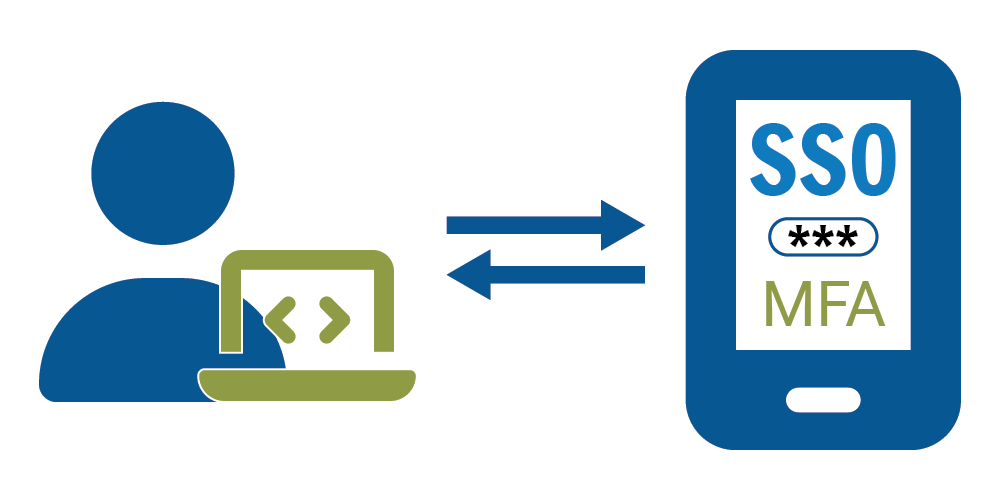
Prepare for MFA by reviewing available authentication options.
Planning ahead will make the migration easier from the start.
The default MFA configuration uses primarily phone-based options for secondary authentication. These options include:
- Okta Verify application
- Google Authenticator application
- SMS text
SSO is available in coordination with your company's IT team.
Take advantage of integration options to reduce the number of credentials you maintain.
Companies can set up SSO by integrating their existing federation identity provider (e.g., Microsoft Entra ID (Azure), Google, or Okta) with Tyler Insurance Filings instead of using the default MFA option. Additional setup is required in coordination with the Tyler Insurance Filings team.