Quarterly Newsletter
Is your Tyler Insurance Filings account ready for multifactor authentication (MFA)?
Prepare your company now for the upcoming MFA rollout
Published: July 15, 2025
Last quarter, you may have seen our newsletter article describing the benefits of enabling Okta single sign-on (SSO) with multifactor authentication (MFA) for your organization. Following the initial launch last year, we plan to begin rolling out SSO with MFA to more user accounts later this year.
Tyler Insurance Filings is committed to protecting organizations' accounts and their data. SSO with MFA supports our security goals by reducing the risk of unauthorized activity and increasing organizations' confidence in managing who is accessing their information and filing on their behalf.
All accounts will ultimately use SSO with MFA to securely access Tyler Insurance Filings following completion of the phased implementation process. To make this change easier, account administrators can start preparing their accounts for SSO with MFA at any time!
Get ready for MFA today
State and insurance company administrators can prepare for the SSO with MFA requirement by reviewing their account users. Each user account includes a Login ID, User's Full Name, and Email Address:
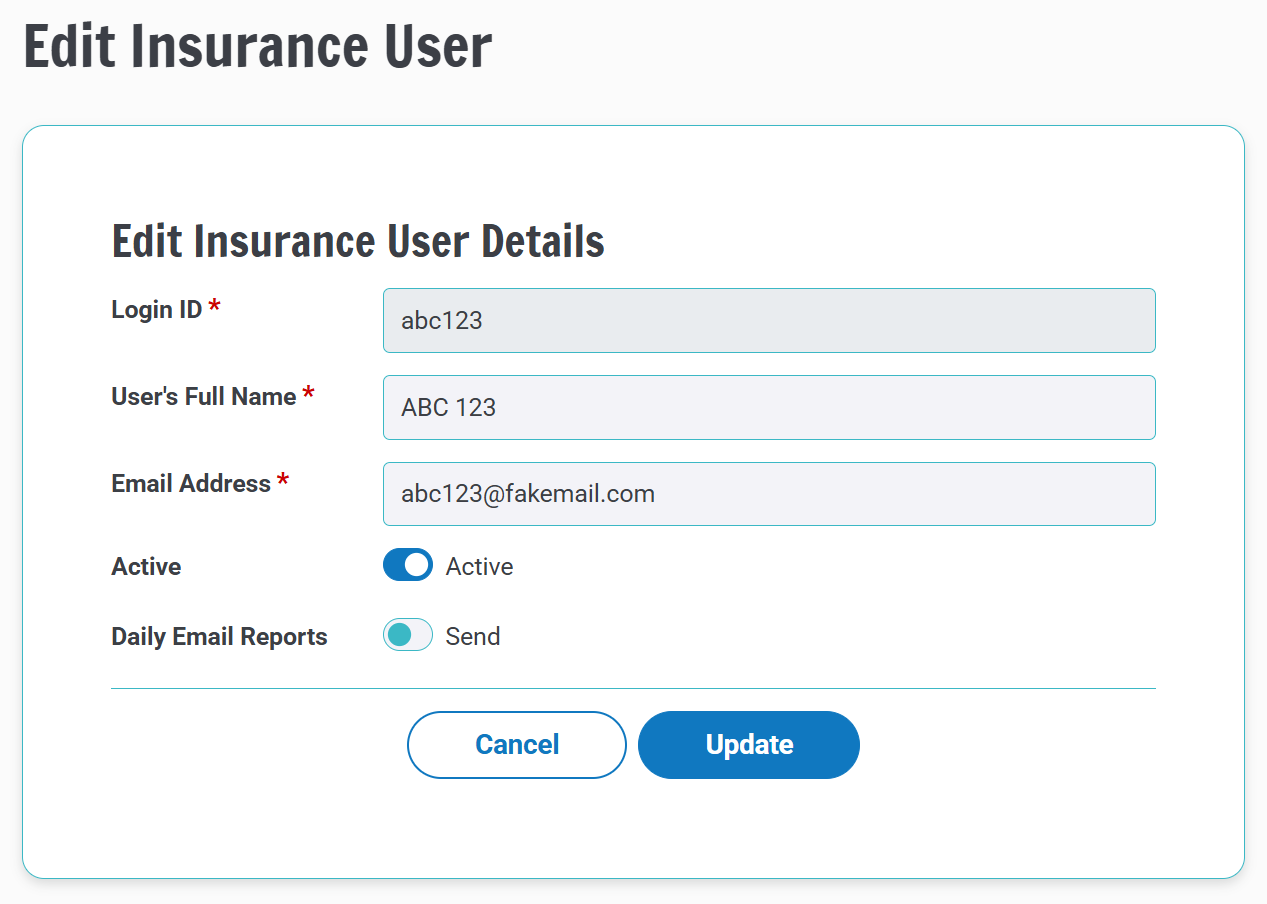
Reviewing this information will help you clean up your users as described below:
- Deactivate any user accounts for employees who no longer file. This one's easy. If you see a former user's account is still active, log in with your administrator credentials and navigate to Manage Users to deactivate accounts.
- Ensure each employee has their own unique Login ID. Shared Login IDs are not compatible with MFA. From the Manage Users page, click the Add User button to create new user accounts.
- Do not reuse email addresses for separate Login IDs. In most cases, using a unique email address for each Login ID will provide the best user experience with MFA. Admins can update email addresses from the Manage Users page.
- Review all parent accounts for your insurance company. Some insurance companies have multiple parent accounts in Tyler Insurance Filings, e.g., accounts for different departments. If this applies to your company, compare the user lists for each company to resolve any reuse of email addresses. Contact our support team to review your company's account(s) if you are unsure whether multiple accounts are associated with your company.
- Coordinate with your MGAs. Managing General Agents (MGAs) will need to consider users who work with multiple insurance company accounts and resolve email addresses that are reused across multiple accounts.
Our support team is available to help if you need a refresher on using the account maintenance features.
Other standard MFA requirements and options
The default configuration for Okta SSO with MFA requires an active cell phone to complete authentication. If your company is interested in other MFA options (e.g., federation), please reach out to discuss your needs.
Other account functionality will not change as a result of the transition to Okta SSO with MFA.
Are you ready for MFA now?
If your organization is ready to enhance its security with MFA, you can volunteer to participate now! Contact us at support@tylerinsurancefilings.com to begin the transition process.